Every technical SEO check SEOtto runs
34 checks on every page and on the site as a whole, run on a schedule and compared with the crawl before. Nothing to install.
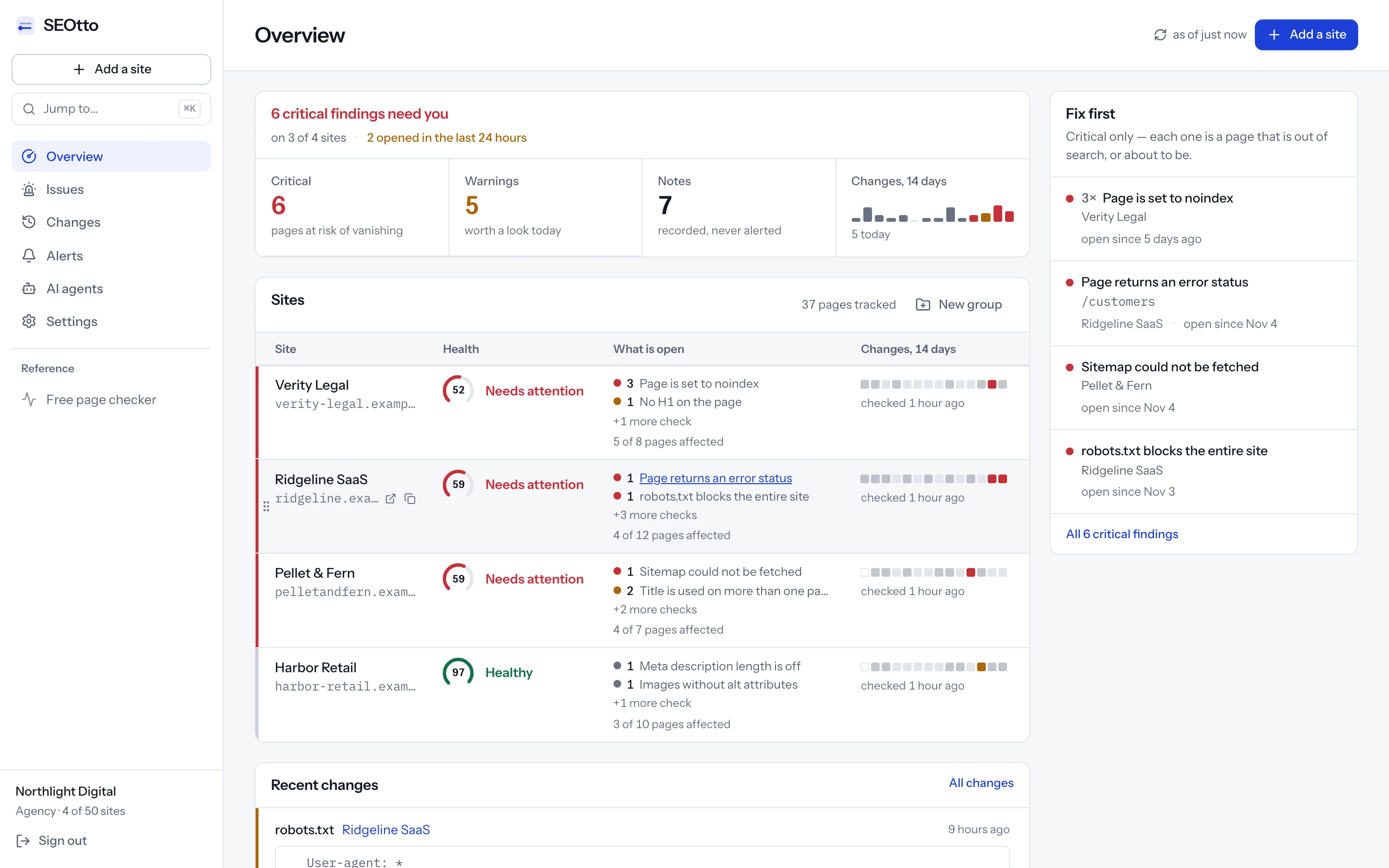
Noindex, robots.txt, sitemap and meta tag checkers
The four most common ways a page drops out of Google.
Excluded by ‘noindex’ tag
Noindex checker for meta robots and X-Robots-Tag
Check every page for noindex in the meta robots tag and the X-Robots-Tag header. SEOtto sends a critical alert when a page stops being indexable.
How the noindex checker worksBlocked by robots.txt
robots.txt checker and monitoring
Check robots.txt for rules that block Google. SEOtto reads robots.txt on every crawl, keeps every version and alerts you when the rules change.
How the robots.txt checker worksCouldn't fetch
XML sitemap checker and monitoring
Check sitemap.xml for a 404, a parse error, an empty file or a sudden drop in URL count. Sitemap indexes and gzipped sitemaps supported.
How the sitemap checker worksrel="canonical"
Meta tag checker: title, meta description, H1 and canonical
Check any page's meta title and meta description for free, with the length of each and a preview of the search result. Then track every change, crawl by crawl.
How the meta tag checker worksFree SEO website checker
Paste a URL to check noindex, robots.txt, canonical, title, meta description, H1, Open Graph tags and structured data, with how to fix each issue. No signup.
Check a page nowHow SEOtto monitors a website
No plugin and no Search Console connection. It reads the public pages a search engine reads.
01discover
Finds your pages
robots.txt first, then the XML sitemap from your settings, from robots.txt or at /sitemap.xml. Without a usable sitemap it follows internal links. URLs you add by hand go first.
02fetch
Fetches each page like a crawler
A few requests at a time, as SEOtto/1.0, following up to five redirects. Slow hosting can get a pause between batches.
03record
Records the SEO signals
Status, redirects, robots directives, canonical, title, description, headings, Open Graph, structured data, word count and links on each page. robots.txt, the sitemap, HTTPS and the certificate for the site.
04compare
Compares it with the last crawl
Each difference is saved with the old value, the new one and the date. The first crawl is the baseline and sends nothing.
05alert
Opens issues and alerts you
The checks below decide what opens an issue and how serious it is. You get one message per crawl.
The first crawl starts when you add the site. Free for one site and 25 pages, checked daily.
All 34 technical SEO checks
Every plan runs every check. Critical means a page is out of search or about to be, a warning is worth a look today, and a note sits on the report without sending an alert.
robots.txt checks
Read at the start of every crawl, with every version of the file kept.
- critical
robots.txt blocks the entire site
Disallow: /for every user agent, so no crawler will fetch any page. - critical
robots.txt blocks Googlebot
A
User-agent: Googlebotgroup disallows everything, even though other crawlers are allowed. - warning
robots.txt could not be fetched
robots.txt answered with a 5xx or did not answer. A 404 is fine and is not reported.
- note
robots.txt does not point to a sitemap
There is no
Sitemap:line, the one way to declare a sitemap that every crawler reads.
XML sitemap checks
Sitemap indexes are followed and gzipped sitemaps are read. The URL count is compared with the last seven days.
- critical
Sitemap could not be fetched
The sitemap URL returned an error status or did not answer.
- critical
Sitemap is not valid
It answered, but is not a urlset, a sitemap index or a plain list of URLs. Truncated XML and HTML error pages land here.
- critical
Sitemap lists no URLs
A valid sitemap with zero URLs, which is what a generator run against an empty database writes.
- warning
Sitemap lost a significant share of its URLs
The URL count fell by 20% or more against the highest count of the last week.
- warning
No sitemap found
Nothing in robots.txt, and nothing at /sitemap.xml, /sitemap_index.xml or /wp-sitemap.xml.
- warning
Page has disappeared from discovery
A tracked page still answers, but is no longer in the sitemap or linked from the site.
Noindex, status code and redirect checks
Run on every tracked page. The meta robots tag and the X-Robots-Tag header are read together.
- critical
Page is set to noindex
A noindex directive in the meta robots tag, a googlebot meta tag or the X-Robots-Tag header.
- critical
Page returns an error status
A tracked URL answers with a 4xx or 5xx status code.
- critical
Page could not be fetched
The request failed before a status code came back: a timeout, a reset connection or a DNS failure.
- warning
Page now redirects
A URL that used to answer directly now redirects somewhere else.
Title tag, meta description, H1 and canonical checks
Every value is kept from every crawl, so a change shows the old value beside the new one.
- critical
Title tag is missing
No
<title>, or an empty one. Google writes its own title from the page instead. - warning
Title is used on more than one page
Several indexable pages share one title tag.
- note
Title is longer than the snippet allows
Over 60 characters, roughly where Google cuts a title off in search results.
- note
Title is very short
Under 15 characters, which usually means a template placeholder.
- warning
Meta description is missing
No meta description, so Google builds the snippet from the page body.
- note
Meta description is used on more than one page
Several indexable pages share one meta description, usually a site-wide default.
- note
Meta description length is off
Shorter than 70 or longer than 160 characters.
- warning
No H1 on the page
The page has no
<h1>element. - note
More than one H1
Several
<h1>elements, often a component rendering a heading level it did not intend to. - critical
Canonical points to another domain
The canonical tag names a different host, which asks Google to index that site's page instead of yours.
- warning
Canonical points at a different page
The canonical names another URL on the same site. Right for a duplicate, wrong when a template hard-codes it.
- note
No canonical URL
The page does not declare a canonical URL, so Google chooses one.
HTTPS, SSL certificate and uptime checks
Site-level checks made once per crawl, before the pages are fetched.
- critical
The home page is not returning 200
The site root answers with an error status, or does not answer at all.
- critical
TLS certificate expires soon
A warning 21 days before the SSL certificate expires, and critical from 7 days.
- warning
http:// does not redirect to https://
The plain-HTTP version of the site serves pages instead of redirecting to HTTPS.
- warning
Both apex and www serve the site
example.com and www.example.com both answer 200, and neither redirects to the other.
Content, response time, images and Open Graph
Reported as notes. They show on the report, and an alert channel sends them only if its minimum severity is set to notes.
- note
Very little content on the page
Fewer than 150 visible words.
- note
Page is slow to respond
The server took more than 3 seconds to respond. This is response time from our crawler, not Core Web Vitals.
- note
Images without alt attributes
Images with no alt attribute at all. An empty
alt=""is correct for decoration and is not counted. - note
No Open Graph tags
No og:title or og:image, so a shared link shows as a bare URL instead of a card.
SEO alerts by email, Slack and webhook
Sent when an issue opens or closes, and never twice for the same thing.
- One message per crawl
- Email on every plan; Slack and webhooks on Pro and Agency
- A minimum severity and a switch for change alerts on each channel
- Channels for every site, one site, or one group of sites
- Accept an issue with a note, and it stays quiet until the value changes
- Each issue comes with a fix and a test for when it is done, which you can hand to an AI coding agent as a brief or over MCP
Questions
- What does SEOtto check?
- 34 checks across robots.txt, XML sitemaps, noindex directives, status codes, redirects, title tags, meta descriptions, H1s, canonical tags, HTTPS, the SSL certificate, content length, response time, image alt attributes and Open Graph tags. Every one of them is listed on this page.
- How often does SEOtto check my website?
- Daily or weekly on the free plan. On Pro and Agency you choose a schedule for each site, from weekly to every hour. You can also start a crawl by hand at any time.
- What is the difference between an SEO audit tool and SEO monitoring?
- An SEO audit tool checks a site once and gives you a list. SEOtto runs the same kind of checks on a schedule and keeps every result, so it can tell you what changed since the last crawl, on which page and on which day.
- Does SEOtto measure page speed or Core Web Vitals?
- No. It measures server response time from its crawler and reports a page that takes more than 3 seconds to respond. For Core Web Vitals, use PageSpeed Insights or the Core Web Vitals report in Search Console.
- Does SEOtto find broken links?
- It finds broken pages: every tracked URL that answers with a 4xx or 5xx status, and every tracked page that has dropped out of your sitemap and internal links. It does not check links to other websites.
- Do I need to install anything or connect Search Console?
- No. SEOtto reads your public pages, robots.txt and sitemap over HTTP. There is no plugin, no tracking script and no Search Console connection.
Run every check on your site, free
One site and 25 pages, checked daily. No card.