Duplicate title tags: which ones cost you traffic
What Google does when pages share a title, when duplicates are harmless, how to find template defaults in a crawl export, and how to rewrite titles safely.
Page titles · example.com
One title on 40 pages
A template filling in the store name. Fix it once.
One title on 2 pages
Two posts named alike. Decide which one answers.
The short answer
Two pages with the same <title> break no rule. Google's documentation treats a repeated title as a quality problem with the title, and lists no penalty for it. The cost is that Google has less to go on: it has to work out which of the pages answers a search, and it may write its own title link for them from other text on the page.
Most duplicates in a crawl are one of two kinds. A template that fills in the same title on dozens of pages is worth fixing now, once, in the template. Two or three pages named alike need a decision about which page should answer. Paginated listings, noindexed pages and pages that point to one URL with a canonical can usually stay as they are.
What happens when two pages share a title?
Nothing on the site breaks. The effects show up in search results.
Google builds the blue link in a search result, which it calls the title link, from several things on and around the page. The <title> element is one of them and the one you control most directly. When several indexable pages carry the same title, that source stops telling Google and the searcher which page is which.
Google's title link documentation asks you to avoid “repeated or boilerplate text in <title> elements”, and gives the example of a shop that titles every page “Cheap products for sale”, which makes it impossible to tell two of its pages apart. It describes no penalty, manual action or ranking demotion for doing it. What you can see instead is one of these three things.
| What happens | What it looks like | How to spot it |
|---|---|---|
| The wrong page answers a search | An archive, a tag page or an older post shows up for a query instead of the page written for it. | In Search Console's Performance report, filter by the query and open the Pages tab. Two or more of your URLs getting impressions for one query is the sign. |
| Google writes its own title link | The link in results shows your H1, another heading or a line of page text, instead of the <title>. | Search for the page with site: and a few of its words, and compare the result's link text with the page's <title>. |
| Results that look the same | Several of your pages appear with one name, so the searcher has nothing to choose by. | Search for your brand or a category, and read your own results as a stranger would. |
None of these is guaranteed, and a small site with a few shared titles may never see them. The vaguer the shared title and the more pages carry it, the more likely they are.
Where does Google get the title it shows?
From a list of sources, of which your <title> is the first. Google decides per page which to use.
Google's documentation lists the sources it uses to work out a title link automatically. It does not rank them or promise to use any one of them.
| Source | Where it is | What it means for duplicates |
|---|---|---|
Content in <title> elements | The page's <head> | The source a template fills in. When it repeats, Google looks further down this list. |
| Main visual title shown on the page | Usually the large heading at the top | Often the product or post name, which is why a rewrite tends to land here. |
Heading elements, such as <h1> elements | The page body | A specific H1 next to a default title gives Google an obvious alternative. |
Content in og:title meta tags | The <head>, for link previews | Some templates set this per page even when the title is a default, which gives Google a better option. |
| Other content that's large and prominent through the use of style treatments | The page body | Text styled to look like a heading can be used, whatever its markup. |
| Other text contained in the page | Anywhere on the page | The fallback when nothing above says what the page is. |
| Anchor text on the page | Links on the page itself | Rarely describes the page itself. One more reason to give Google a better title. |
| Text within links that point to the page | Other pages, yours and other sites' | How your own menus and other sites name the page. |
| WebSite structured data | JSON-LD, usually on the home page | Names the site as a whole. It cannot tell two of your pages apart. |
GET /products/blue-wool-scarf
example.com › products › blue-wool-scarf
Blue wool scarf
Lambswool, 180 cm…
Title link built from the H1. The <title> said only “Example Store”.
<title> is the store's name, and a result whose link text came from the page's H1. Google may do this when the title says less than the page. It does not say which source it will pick for a given page.So a duplicate title does not leave the page without a name in results. It hands the choice of name to Google. If the H1 is good, the result may still read well. If the H1 is also generic, as it often is on a template that fails in one place, the result has nothing useful to show.
How do you find duplicate titles on your own site?
Crawl the site, export the titles with the indexability columns, and group them.
Crawl the site with a desktop crawler
Screaming Frog, Sitebulb or any crawler that exports each URL with its title. A crawl reads the pages as your server sends them today.
Export the titles with indexability and canonical
In Screaming Frog, export the Internal tab filtered to HTML. It has
Address,Title 1,Indexability,Indexability StatusandCanonical Link Element 1. The Page Titles tab's export works too. Keep the indexability columns: they are how noindexed pages get left out.Paste the export into the finder
It groups pages by title, leaves out noindexed and canonicalised rows, and says what kind of duplicate each group is. Nothing is uploaded.
No crawler? Pull the titles from a list of URLs
For a few dozen pages, a shell loop is enough. Put one URL per line in
urls.txtand run the command below. It writesURL<TAB>titlelines that the finder reads as they are. HTML entities such as&stay encoded.while read -r url; do title=$(curl -sL "$url" | tr '\n' ' ' | grep -o '<title[^>]*>[^<]*</title>' | head -1 | sed -E 's/<[^>]+>//g; s/^ +| +$//g; s/ +/ /g') printf '%s\t%s\n' "$url" "$title" done < urls.txt > titles.tsv
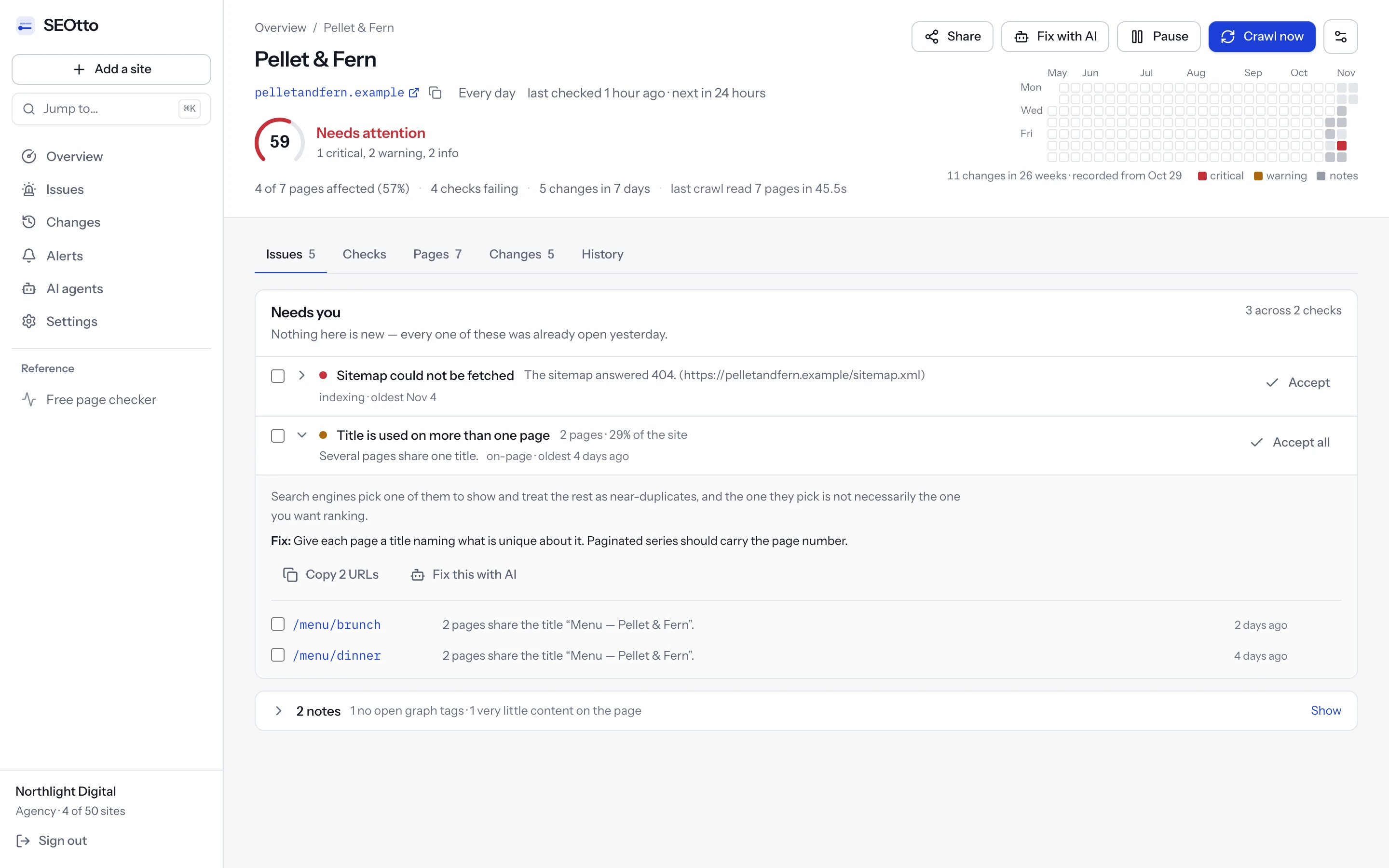
A one-off crawl finds the duplicates you have today. A template default usually arrives with a deploy, a theme update or a plugin change, so the useful version of this check runs on every crawl. SEOtto records every tracked page's title on each crawl and reports a title shared by indexable pages on the crawl that finds it. The meta tag checker has the details.
Duplicate title finder.
CSV or TSV with a header row. Screaming Frog's Internal or Page Titles export works as it is, and so does any file with a URL column and a title column. Nothing is sent.
The example is a made-up shop at example.com, with Screaming Frog's column names: six product pages titled with only the store's name, a paginated blog, one category at two URLs, two posts with the same title, a page with no title, two noindexed search pages and a newsletter link with a canonical. Paste your own export over it.
- Rows read
- 20
- Pages compared
- 17
- Titles shared
- 4
- Pages sharing a title
- 13
Left out: 2 non-indexable pages and 1 page with a canonical pointing elsewhere. They are not competing for a place in results, so a shared title on them costs nothing.
63% of the titles end with “Example Store”. That is normal for a brand name. It becomes a problem when it is the whole title, which the groups below would show as a template default.
- No title1 page
No title
These pages have no title at all, so Google writes one from the page. Find the template or CMS field that leaves it blank.
- https://example.com/pages/delivery
- Template default6 pages
“Example Store”
One template is filling in the same title for every page it renders. Fix it once in the template so each page uses its own name.
- https://example.com/products/blue-wool-scarf
- https://example.com/products/grey-wool-hat
- https://example.com/products/red-mittens
- https://example.com/products/green-socks
- https://example.com/products/navy-gloves
and 1 more
- https://example.com/products/cream-beanie
- Pair or small group2 pages
“How to wash wool | Example Store”
Probably written by hand. If the pages answer the same question, merge them or point one at the other with a canonical. If not, rename the less specific one.
- https://example.com/blog/how-to-wash-wool
- https://example.com/guides/wool-care
- URL variants2 pages
“Shoes | Example Store”
One page answering at several URLs. The title is fine: pick one URL and point the others at it with a canonical tag or a redirect.
- https://example.com/collections/shoes
- https://example.com/collections/shoes?sort=price-ascending
- Pagination3 pages
“Blog | Example Store”
Pages of one listing. Add the page number to the title of page 2 onwards and leave it there.
- https://example.com/blog/
- https://example.com/blog/page/2/
- https://example.com/blog/page/3/
Is it a template, or two pages named alike?
The shape of a group tells you most of what you need: how many pages, which ones, and when they appeared.
Sort the groups by size and two kinds stand out. A template default is one title on many pages. A pair is two or three pages that a person named the same way. They look alike in a report and need different fixes, so tell them apart before touching anything.
A template default
- One title on 5, 40 or 400 pages.
- Often the site name alone, or a section name such as “Products”.
- The pages are all one type: products, tags, locations.
- The CMS field for the title is empty on those pages, and the template falls back to a fixed string.
- Fixed in one place, and the fix reaches every page at once.
Pages named alike
- Two to four pages.
- A title somebody wrote, often about the same topic.
- Pages of different types or ages: a post and a guide, an old page and its rewrite.
- Each page has its own title field filled in.
- Fixed page by page, after deciding which page should answer.
When did the block appear?
A block of identical titles usually arrived at once, because one change produced it. If you have an older crawl export, run it through the finder too. A group that is in this month's crawl and missing from last month's came with something changed in between: a theme switch, an SEO plugin update, a new page template, a migration. That change is where the fix goes.
Without an old crawl, look at the template's history in version control, or the CMS's log of theme and plugin changes.
Which duplicates can you leave alone?
A shared title only matters between pages that compete for a place in results. Many duplicates in a crawl are on pages that do not.
| The duplicate | What to do | Why |
|---|---|---|
| Pages with a noindex | Leave it | They are not in Google's index, so they compete with nothing. Internal search results and filtered views are often noindexed on purpose. |
| Pages whose canonical names one URL | Leave it | They have already told Google which URL to index. A tracking-parameter copy of a product page is the usual case. |
| Pages 2 onwards of a listing | Add the page number | “Blog, page 3 | Example Store” is enough. A new keyword in each page's title only sets page 3 against page 1. |
| One page at two URLs | Fix the URL | With and without a sort parameter, http and https, with and without www. The title is right; pick one URL and canonicalise or redirect the rest. |
| A template default on many pages | Fix it now | The pages are different, and the title says they are the same. This is the case Google's documentation warns about. |
| Category or filter pages meant to rank | Fix it | If /shoes?colour=red is meant to be found for red shoes, it needs “Red shoes” in its title. If it is not, noindex it or canonicalise it to /shoes. |
| Product variants with their own pages | Fix it | Name the variant in the title, or consolidate the variants onto one page with a canonical. Either works. Separate pages with one shared title is the case to avoid. |
| Two posts on the same topic | Decide | Merge them and redirect one to the other, or rename the one that is less specific so each answers its own question. |
The first two rows are why the finder needs the indexability and canonical columns. Without them, a crawl of a shop with faceted search can report hundreds of duplicates that cost nothing, and the template default you need to fix is one group among them.
How to fix duplicate titles, in order
Check the pages are meant to be indexed
If a group is all pages you would noindex anyway, such as internal search or account pages, noindex them and stop. Renaming pages nobody should find is wasted work.
Check whether the URLs are one page
If the URLs differ only by a parameter, a trailing slash,
wwwor the protocol, the fix is a canonical tag or a redirect to one URL. Leave the title alone.Fix the template before the pages
For a block, find the pattern that builds the title. In most CMSs it is a title pattern in the theme or the SEO plugin, with a fallback for pages whose own field is empty. Change the fallback to use the page's name, then fill in the empty fields on the pages that matter most. Filling in the fields alone leaves the next new page with the default again.
Rename the pairs by hand
Put what is different about each page first: the product and its variant, the topic and the angle. Keep the brand short and last.
Number the listing pages
Add “page 2”, “page 3” and so on to the title of every page after the first. Page 1 keeps its title.
Crawl again and compare
Run the new export through the finder. The template groups should be gone in one go. Then inspect a few of the fixed URLs in Search Console's URL Inspection tool and use Test live URL to see the title Google now fetches.
An example rewrite for each kind of group:
| Kind of group | Before | After |
|---|---|---|
| Template default | “Example Store” on every product page | “Blue wool scarf | Example Store” |
| Filter page meant to rank | “Shoes | Example Store” on /shoes?colour=red | “Red shoes | Example Store” |
| Pagination | “Blog | Example Store” on page 3 | “Blog, page 3 | Example Store” |
| Product variants | “Wool scarf | Example Store” on the navy and the grey page | “Wool scarf, navy | Example Store” and “Wool scarf, grey | Example Store” |
| Two posts, one topic | “How to wash wool | Example Store” on both | “How to hand-wash wool | Example Store” and “Can wool go in the washing machine? | Example Store” |
| Boilerplate crowding the name | “Example Store | Wool Scarves, Hats, Gloves | Free Delivery | Scarves” | “Wool scarves | Example Store” |
How long should the new titles be?
Google sets no length limit. It cuts the title link to fit the screen, which decides what should come first.
Google's documentation says there is no limit on how long a <title> can be, and that the title link is truncated as needed, “typically to fit the device width”. It gives no number of characters or pixels. A count around 60 characters is a common rule of thumb for a title that survives on most screens, and nothing more official than that.
For duplicates, the length question has one practical answer: put the words that make the page different at the start. If the end of the title gets cut, the brand goes and the page name stays. A rewrite that adds the brand first and the product last can end up looking like a duplicate again on a phone, because the part that differs is the part that was cut.
- Page name first, then the section if it helps, then the brand.
- One separator style across the site, such as
|before the brand. - No list of keywords. Google's documentation names keyword stuffing as something to avoid in titles.
To see where a particular title is likely to be cut, the meta tag checker has a search result preview: paste the title and description, or check a live URL.
How long until Google shows the new titles?
Until it recrawls and reprocesses each page. Google puts that at a few days to a few weeks.
Google's title link documentation says it “has to recrawl and reprocess the page to notice updates”, and that this “may take a few days to a few weeks”. A page Google visits often will show the change sooner than a deep product page it rarely fetches.
| To speed it up | What it does | Limits |
|---|---|---|
| Request indexing in URL Inspection | Asks Google to crawl one URL again. Worth it for the few pages that matter most. | One URL at a time, with a daily limit per property. Not a promise to index. |
Update lastmod in the sitemap | Tells Google which pages changed. Google says it uses lastmod when it is consistently and verifiably accurate. | Only helps if lastmod changes when the page really changes, every time. |
| Wait | Google recrawls pages on its own schedule. | Rarely visited pages take longest. Google's noindex documentation says a revisit can take months for some pages. |
Even after a recrawl, the title link Google shows may not be your new <title> word for word. It still chooses from the sources listed above. A specific title that matches the page gives it the least reason to choose anything else.
Keeping the block from coming back
The template that produced a block will be edited again: a theme update, a redesign, a new page type. Re-run the finder after each of those, or monitor titles on a schedule. SEOtto keeps each tracked page's title from every crawl and shows the old value beside the new one when it changes, so a block that comes back shows up on the first crawl after the deploy.
Questions
- Will duplicate title tags get my site penalised?
- Google's title link documentation lists no penalty or manual action for them. It asks you to avoid repeated and boilerplate titles because they make pages hard to tell apart, and because Google may then build the title link from other text on the page.
- Do duplicate titles matter on noindexed pages?
- No. A noindexed page is not in Google's index, so it competes with nothing. Leave those out of any duplicate count, which is what the finder on this page does when the export has an Indexability column.
- Should paginated pages have unique titles?
- Give page 2 onwards the page number, such as “Blog, page 3 | Example Store”, and leave the rest of the title alone. Writing a new keyword into each page of a listing makes those pages compete with the first one.
- Is it a problem that every title ends with my brand?
- Not on its own. It is common, and the finder reports it as information. It becomes a problem when the brand is the whole title, or when the repeated part is long enough to push out what makes each page different.
- Does the H1 have to match the title?
- No. Google lists both among the sources for the title link and does not ask them to match. When the
<title>is a default and the H1 is specific, the H1 is the one that describes the page, which is why Google may show it instead.
Sources
- Google Search Central: title links in Google Search
- Google Search Central: Block search indexing with noindex
- Search Console Help: URL Inspection tool
- Google Search Central: Build and submit a sitemap
Checked against these pages on 3 November 2026.
Written by
Suleyman
Suleyman builds SEOtto: the crawler, the checks it runs and the alerts it sends. The guides describe the same failures the checks look for, with the commands he uses to confirm them by hand.