Sitemap “Couldn’t fetch” and the other sitemap errors
Why Search Console can't fetch or read a sitemap: a wrong URL, robots.txt, redirects, HTML instead of XML, size limits, and the failures that still answer 200.
GET /sitemap_index.xml
21,480 URLs in 4 of 5 sitemaps. 31,480 yesterday.
criticalThe short answer
“Couldn't fetch” means Google asked for your sitemap's URL and did not get a file it could read. The causes you can test yourself are a wrong URL, a robots.txt rule that blocks it, a redirect to an HTML page, or a server that answers with something other than XML. Google also lists causes on its side, and says some of these errors are temporary.
So fetch the sitemap URL yourself, the way a crawler does: a plain GET request with no cookies, then a look at the status code, the content type and where any redirect ends. If it answers 200 with XML every time, submit it again and give Google a few days. If it does not, the first command in this guide usually shows which cause it is.
Some sitemap problems never appear as an error: a file that suddenly lists a third of its URLs, or one sitemap behind an index that stopped answering. You only find those by counting.
Search Console wording this guide covers
- Couldn't fetch
- Sitemap could not be read
- Has errors
What does “Couldn't fetch” mean in Search Console?
It is one of three statuses a submitted sitemap can have. It says Google could not get the file, and nothing about what is in it.
The Sitemaps report in Search Console lists every sitemap you submitted, with a status for each. There are three, and they answer different questions.
| Status | Google's description | What it means for you |
|---|---|---|
| Success | “The sitemap was loaded and processed successfully with no errors. All URLs will be queued for crawling.” | Google read the file. A valid file can still be wrong, so see the failures that answer 200. |
| Has errors | “The sitemap could be fetched, but has one or more errors.” | Google got the file and something inside it is wrong. The details page names the error. See what each error means. |
| Couldn't fetch | “The sitemap could not be fetched for some reason.” | Google did not get a usable file. Nothing in it was read, so none of its URLs came from it this time. |
Click a sitemap in the report to open its details. One that could not be fetched shows Sitemap could not be read. One that was fetched but has problems shows Sitemap can be read, but has errors, with the errors listed under it.
Google does not keep trying forever. Its help page says that when a sitemap fetch fails, Google retries for a few days and then stops. A fix you make after that is read when you submit the sitemap again, so resubmitting is part of the fix.
How do I check the sitemap myself?
Check the sitemap your site declares:
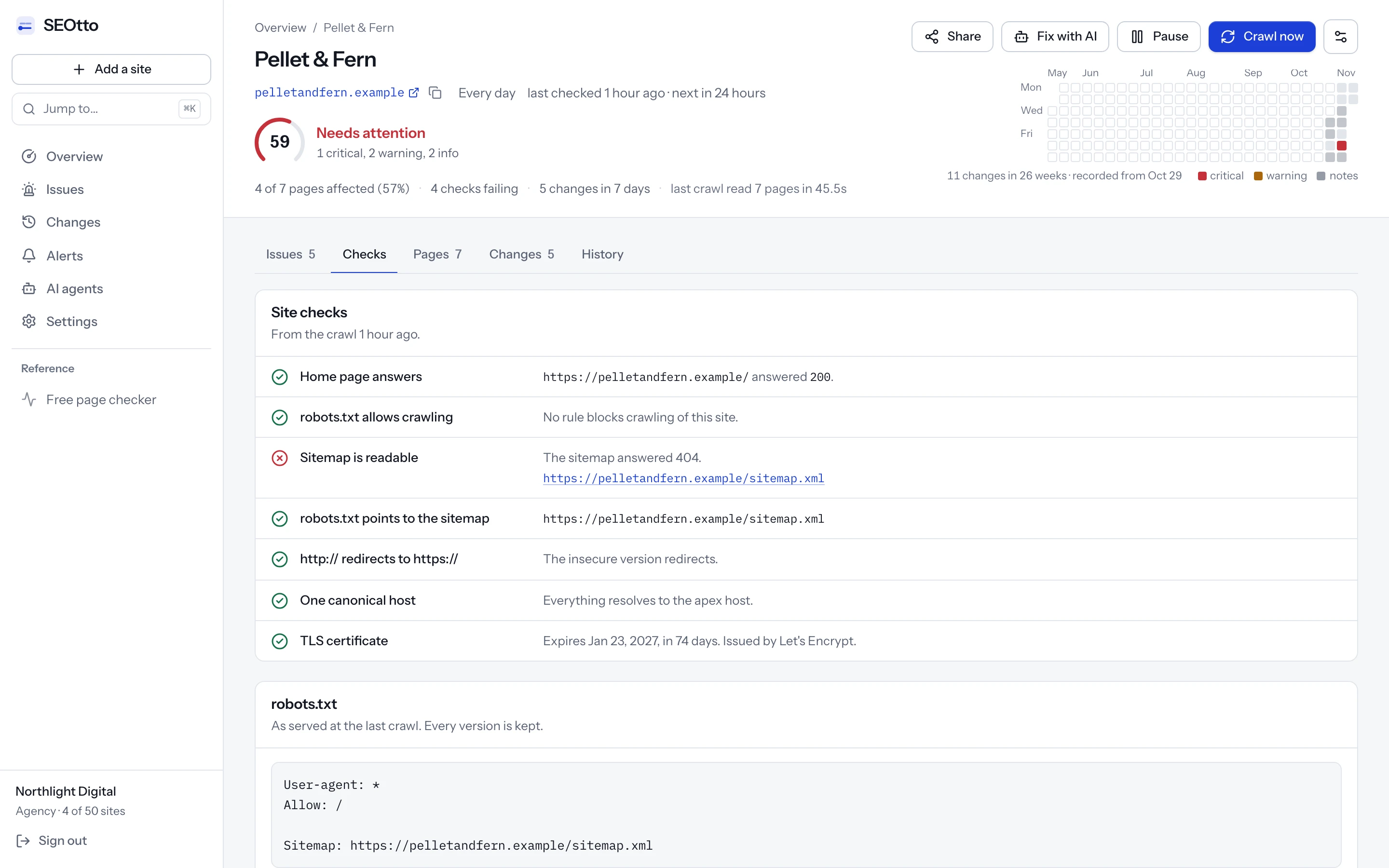
It is the same lookup SEOtto's monitor makes at the start of a crawl, run once from our server. For a sitemap index it counts the sitemaps the index names and does not open them. Step 6 below checks each one.
The same checks by hand
Each command fetches the sitemap with no cookies and no browser, which is closer to what Googlebot gets than opening the URL in a tab. Replace www.example.com with your own host.
Fetch it the way a crawler does
A GET request that follows redirects and prints four things: the status code, the content type, how many redirects it followed and the URL it ended on. A healthy sitemap prints
200, an XML type such asapplication/xmlortext/xml,0redirects and the URL you submitted.curl -sL -o /dev/null -w '%{http_code} %{content_type} %{num_redirects} %{url_effective}\n' https://www.example.com/sitemap.xmlMake sure robots.txt allows it
Google lists a robots.txt block as one of the reasons it cannot fetch a sitemap. Read the file, then test the sitemap's path in the robots.txt tester.
curl -s https://www.example.com/robots.txt
Check that it is well-formed XML
xmllintcomes with macOS; on Debian and Ubuntu it is in thelibxml2-utilspackage. It prints nothing when the file parses, and the line and column of the first problem when it does not.curl -s https://www.example.com/sitemap.xml | xmllint --noout -
Count the URLs
grep -ccounts lines, and many generators write the whole sitemap on one line, so it would print1. Count the matches instead, and write the number down: tomorrow's count is only useful next to today's.curl -s https://www.example.com/sitemap.xml | grep -o '<loc>' | wc -l
Look at the first bytes of a gzipped sitemap
A gzip file starts with the bytes
1f 8b. If you see them, decompress before you parse. If you see3c3f(the start of<?xml), the file is plain XML under a.gzname.curl -s https://www.example.com/sitemap.xml.gz | head -c 2 | xxd -p
Open every sitemap an index names
An index can answer
200while one of its sitemaps is gone. This loop prints the status of each one.curl -s https://www.example.com/sitemap_index.xml \ | grep -o '<loc>[^<]*' | sed 's/<loc>//' \ | while read -r url; do printf '%s %s\n' "$(curl -s -o /dev/null -w '%{http_code}' "$url")" "$url" done
curl -sL -o /dev/null -w '%{http_code} %{content_type} %{num_redirects} %{url_effective}\n' https://www.example.com/sitemap.xml
200 looks fine, but the content type is HTML and the final URL is /, so Google got a web page where it expected a sitemap.Why can't Google fetch my sitemap?
| Cause | In Google's list | How to tell | What to do |
|---|---|---|---|
| Blocked by robots.txt | Yes | A Disallow rule matches the sitemap's path. Test the path in the robots.txt tester. | Remove or narrow the rule so the sitemap's URL can be crawled. |
| The URL is wrong | Yes | Step 1 prints 404. Look for http against https, www against no www, a missing .gz or a typo. | Submit the URL the site serves, or serve the file at the URL you submitted. |
| The site has a manual action | Yes | Search Console, under Security & Manual Actions, then Manual actions. | Resolve the manual action, then submit the sitemap again. |
| A general error, sometimes temporary | Yes | The file answers 200 with XML every time you test it. | Google says some of these errors are transient. Wait for its next attempts, and submit again if the status stays the same. |
| Low crawl demand for the sitemap | Yes | Nothing to test. The file passes every check above. | Google names this cause and gives no fix for it. If the file is good, there is nothing in it to change. |
| Redirects to an HTML page | No | Step 1 shows text/html, one or more redirects, and a final URL such as / or /login. | Serve the XML at the submitted URL. If the redirect ends at the real sitemap, submit that URL instead. |
| Answers 200 with an HTML page | No | Content type text/html and no redirect. Often a framework's catch-all route answering a path it does not know. | Route the sitemap's path to the generator, or serve a static file ahead of the catch-all. |
| A firewall or bot protection stops crawlers | No | Your browser gets the file and the step 1 command gets a challenge page or a 403. The CDN's firewall log shows the blocked request. | Allow verified search engine crawlers on the sitemap's path. |
| It takes too long to build | No | Add %{time_total} to the step 1 command. A sitemap generated on every request from a large database can take many seconds. | Build the file ahead of time, or cache it. |
One more cause to rule out: the sitemap and the URLs in it have to agree about the host. A sitemap on www.example.com that lists URLs on example.com gets a Path mismatch error, and URLs on another domain or above the sitemap's own folder get URL not allowed. Both are in the next table.
What do the other sitemap errors mean?
When Google can fetch the file but some of it does not make sense, the status is Has errors and the details page names the error.
| Error | What it means | Fix |
|---|---|---|
| Parsing error | Google could not parse the XML. Usually an unescaped character in a URL, such as a bare &. | Escape it: & becomes &. Step 3 gives you the line and column. |
| Empty sitemap | The file has no URLs in it. | Find out why the generator wrote nothing. See the empty file. |
| Sitemap file size error | The sitemap is larger than 50MB uncompressed. | Split it into several sitemaps and list them in a sitemap index. |
| Too many URLs | The sitemap lists more than 50,000 URLs. | Split it the same way. |
| Too many sitemaps | The sitemap index lists more than 50,000 sitemaps. | Use more than one index. |
| Incorrect sitemap index format: Nested sitemap indexes | An index lists another index. | List sitemaps only. An index cannot point at an index. |
| Compression error | Google could not decompress the file. | Compress it again with gzip, upload it and submit it again. |
| URL not allowed | URLs on a different domain from the sitemap, or above its folder. | Keep the URLs on the sitemap's host and under its folder, or move the sitemap to the root. |
| Path mismatch: Missing www / Includes www | The sitemap's address and the URLs in it disagree about www. | Make them match. |
| Incorrect namespace | The root element has the wrong namespace, or none. | Use xmlns="http://www.sitemaps.org/schemas/sitemap/0.9". |
| Invalid date | A lastmod value is not in W3C Datetime format. | Write dates as 2026-11-03 or 2026-11-03T09:00:00+00:00. |
| Invalid URL | A URL contains spaces, quotes or characters that need encoding. | Encode and escape it. |
| URLs not followed | Listed URLs redirect too many times. | List the final URLs, written out in full. |
| Sitemap contains urls which are blocked by robots.txt | Some listed URLs are disallowed in robots.txt. | Unblock them, or take them out of the sitemap. |
| HTTP error [specific code] / General HTTP error | Google got an HTTP error while downloading the sitemap. | Run step 1 and fix whatever status it prints. |
| Temporary error | Usually nothing you need to do. | Google suggests submitting again if it is still there after several hours. |
Check a sitemap file before you publish it.
Paste a sitemap or a sitemap index, or edit the example. Nothing is sent.
Reading the sitemap…
The example has one mistake: the bare & in the URL on line 8. Google reports a file like this as Parsing error. Change it to & and the verdict changes.
The same mistake, found from a terminal with step 3:
curl -s https://www.example.com/sitemap.xml | xmllint --noout -
xmllint names the line (8) and points at the character after the entity it could not finish. A browser opening the same URL may show a page of XML with an error banner, or nothing at all.How can a sitemap answer 200 and still be broken?
A status code only says the server answered. Each of these answers 200, and some never show in Search Console as an error.
It lists nothing
A generator that runs before its data is ready writes a valid <urlset> with no URLs in it. A build step that ran before the content was available will do it, and so will a database that was unreachable for one deploy. The file parses and answers 200. Search Console reports Empty sitemap the next time Google reads it, which may be days later.
In Next.js, for example, app/sitemap.ts returns the list of URLs. If the function catches a failed request to your API and returns an empty array, the result is still valid XML with nothing in it.
It is cut off partway
A generator that times out while writing leaves half a file. The response ends in the middle of a tag, no parser accepts it, and Google reports Parsing error. The end of the file tells you at once: it should finish with </urlset>, or </sitemapindex> for an index.
curl -s https://www.example.com/sitemap.xml | tail -c 100
It lists far fewer URLs than yesterday
Search Console shows no error for this one. The file is valid, so the status stays Success. Yesterday it listed 4,231 URLs and today it lists 1,407. That could be a deliberate clean-up or a generator that failed halfway, and from outside the two look the same. A count kept over time is the only way to see it.
https://www.example.com/sitemap.xml
2,824 URLs left the sitemap on 30 Oct. The file stayed valid, so nothing reported an error.
A bar chart of an example sitemap's URL count over ten days: about 4,200 URLs a day until 30 October, then about 1,400 from that day on. Every day the sitemap answered 200 and parsed without errors.
200 and parsed. SEOtto's monitor warns when the count falls by 20% or more between crawls; a scheduled job that runs step 4 and compares the result with the last one does the same by hand.One sitemap behind the index stopped answering
Large sites split their sitemap into parts and list the parts in an index. The index can stay valid while one of the sitemaps it names returns 404, and a check that reads only the index sees nothing wrong. Step 6 fetches each one:
curl -s https://www.example.com/sitemap_index.xml \
  | grep -o '<loc>[^<]*' | sed 's/<loc>//' \
  | while read -r url; do
      printf '%s %s\n' "$(curl -s -o /dev/null -w '%{http_code}' "$url")" "$url"
    done
200 and names five sitemaps, and one of them is gone.The gzip file is not what its name says
A file called sitemap.xml.gz should arrive as gzip bytes. A server can compress it a second time on the way out, or serve plain XML under the .gz name. Decompress it once and parse the result. If that fails, Google is probably getting the same thing you are.
curl -s https://www.example.com/sitemap.xml.gz | gunzip -c | xmllint --noout -
How big can a sitemap be, and which tags does Google read?
The limits are the same for every sitemap format. Most sites never reach them, and the ones that do find out from a size or count error.
| Rule | What Google's documentation says |
|---|---|
| URLs per sitemap | Up to 50,000. |
| Size per sitemap | Up to 50MB uncompressed. Gzip makes the download smaller, and the limit still applies to what the file unpacks to. |
| Sitemaps per index | Up to 50,000. An index cannot list another index. |
| Encoding | UTF-8. |
| URLs | Fully qualified and absolute, such as https://www.example.com/shoes. Google crawls them exactly as listed. |
<lastmod> | Used when it is consistently and verifiably accurate. |
<priority> and <changefreq> | Ignored by Google. |
| Scope | A sitemap covers the URLs under its own folder, unless you submit it in Search Console. |
| Where to declare it | A Sitemap: line anywhere in robots.txt, with the full URL, as many lines as you need. Or the Sitemaps report in Search Console, or the Search Console API. |
A robots.txt that names two sitemaps. The lines can go anywhere in the file:
User-agent: *
Disallow: /cart

Sitemap: https://www.example.com/sitemap_index.xml
Sitemap: https://www.example.com/sitemap-images.xml
Google calls submitting a sitemap “merely a hint”. It tells Google which URLs exist and when they changed. Google still decides what to crawl, when, and whether to index it.
Does a broken sitemap hurt my rankings?
Not directly. It slows down how quickly Google finds new and changed pages.
A sitemap is a list of URLs for crawlers. It does not make a page rank, and losing it does not remove pages Google has already indexed. Google also finds pages by following links, so most of an established site keeps being crawled without one.
What a broken sitemap costs is time. New pages, pages deep in the site and pages with few internal links are the ones a crawler is least likely to reach by links, and those are the pages the sitemap was helping. On a site that publishes every day, a sitemap that has been broken for a month means a month of new pages that took longer to appear in search.
What a broken sitemap does not do
- Remove pages that are already in Google.
- Stop Google following the links on your site.
What it does
- New pages wait until a link leads Google to them.
- Accurate
lastmoddates stop reaching Google, so changed pages may be recrawled later.
The same reasoning applies to lastmod on a sitemap that works. Google uses the date when it is consistently accurate. A generator that stamps every URL with today's date on every run gives Google a value it has no reason to trust.
I fixed it. How do I get Google to read it again?
Test it, then submit it again. Google stops retrying a failed sitemap after a few days, so it may not come back on its own.
Run the checks again
Step 1 should print
200, an XML content type,0redirects and the URL you submitted. Step 3 should print nothing.Submit the sitemap again
In the Sitemaps report in Search Console, submit the same URL again. Doing that for a sitemap Google already knows does no harm.
Watch the status
Google gives no time frame for reading a resubmitted sitemap, so check back over the next few days. For
Temporary error, Google's advice is to submit again if it is still there after several hours.Update robots.txt if the URL changed
If the sitemap moved, change the
Sitemap:line in robots.txt, submit the new URL, and remove the old one from the report so it stops showing an error.
Questions
- Why does my sitemap open in a browser when Search Console says Couldn't fetch?
- Your browser is not a crawler. It sends cookies and passes bot protection, and a crawler gets neither. Test with the step 1 command, which sends a plain request. If that also gets
200with XML, the error may be one of the temporary ones Google mentions: submit the sitemap again and check over the next few days. - How long does Google take to read a sitemap?
- Google does not give a time. Its help page says a failed fetch is retried for a few days and then stopped, and that a temporary error is worth resubmitting if it is still there after several hours. After you fix a sitemap, submit it again rather than waiting for Google to come back.
- Does the sitemap have to be called sitemap.xml?
- No. Any URL works when you submit it in Search Console or name it in robots.txt with a
Sitemap:line. The name only matters to tools that have to guess, and they usually try/sitemap.xmlfirst. - Can a site have more than one sitemap?
- Yes. Submit each one, list them all in robots.txt (there is no limit on
Sitemap:lines), or list them in a sitemap index of up to 50,000 sitemaps. An index cannot list another index. - Should every page be in the sitemap?
- List the URLs you want in Google, each at its final, canonical address. Google reports URLs that redirect too many times as
URLs not followed, and URLs blocked by robots.txt as an error of their own. A noindexed URL in a sitemap gives Google two opposite instructions, so leave those out too. - Do I need to resubmit the sitemap every time I add a page?
- No. Keep the file current and the
lastmoddates accurate. Submit it again after fixing an error, or when its URL changes. - Is a sitemap error the reason my pages are not indexed?
- Not usually by itself, because Google finds most pages through links. If pages are missing from Google, the page indexing report gives a reason for each one, and the guide to those reasons explains them. A sitemap error is not one of them.
Sources
- Manage your sitemaps using the Sitemaps report (Search Console Help)
- Build and submit a sitemap (Google Search Central)
- How Google interprets the robots.txt specification (Google Search Central)
- sitemap.xml file convention (Next.js documentation)
Checked against these pages on 3 November 2026.
Written by
Suleyman
Suleyman builds SEOtto: the crawler, the checks it runs and the alerts it sends. The guides describe the same failures the checks look for, with the commands he uses to confirm them by hand.